J.M. NORTHUP's BLOG

Showing posts with label INFO. Show all posts

Wednesday, August 28, 2019

KINDLE WHISPERSYNC

READ and LISTEN Seamlessly

Audible narration effortlessly syncs across all your devices allowing you to switch between reading and listening without ever losing your place. Learn more

You can switch between reading and listening on any device.
If you are listening to your favorite book on your commute home and then want to read where you left off once you get settled into your comfy chair at home with your pajamas, cat, and coffee, this allows you the freedom to make that happen!

Wednesday, December 19, 2018

Email Whitelist - Approved or Safe Senders

How To Prevent Your Legitimate Emails From Being Blocked


An Email Whitelist is your approved or safe sender list.
If you aren't sure how to add a contact, ensuring you get the emails you legitimately want, then this blog post is for you!
-------------------------------------------------------------------
Content from
-------------------------------------------------------------------
1. Open an email from the sender that you want to whitelist.
2. Click on the little down-pointing-triangle-arrow next to “reply.”
3. Click Add [wlemail] to contacts list to finish.

1. Click Preferences from the menu.
2. Click Restrict Incoming Email.
3. Click Yes to Enable Email Controls.
4. Click Allow email from addresses listed below.
5. Enter [wlemail] you want to whitelist.
6. Click Add.
7. Click Update to finish.


Mozilla Thunderbird for PC
1. Click Address Book.
2. Make sure Personal Address Book is highlighted.
3. Click New Card. This will launch a New Card window that has 3 tabs: Contact, Address & Other.
4. Under Contact, enter [wlemail] and additional information if you wish.
5. Click OK to finish.


Mozilla Thunderbird for Mac
1. Click Address Book.
2. Make sure Personal Address Book is highlighted.
3. Click New Card. This will launch a New Card window that has 3 tabs: Contact, Address & Other.
4. Under Contact, enter [wlemail] and additional information if you wish.
5. Click OK to finish

-------------------------------------------------------------------
*Click on Button to be Redirected for more Providers*

Wednesday, March 28, 2018

FREE NOOK APP for ALL Devices

eBOOKS AREN'T JUST FOR KINDLE

Photo Property of Barnes & Noble Booksellers, Inc.

NOOK Reading App

NOOK Reading App

A Great Way to Enjoy Books & Magazines on Your Phone or Tablet

Choose from millions of bestselling eBooks & digital magazines to download and read instantly. And enjoy expert recommendations just for you, plus our B&N Readouts feature, which lets you browse chapters & articles from dozens of the best new titles for free.

Saturday, November 25, 2017

How To Gift An eBook

GREAT FOR ANY OCCASION


Whether it is for a holiday, birthday, or just because,
eBooks make great gifts.
You can use them for stocking stuffers
or insert them into your greeting or holiday cards.
Amazon makes it easy to either send the gifted eBook
directly to the recipient's email address
or you can have a certificate generated by sending it your email instead.
  
Unfortunately, not all countries have the ability to gift an ebook from Amazon.
Here are instructions to help you to do so from these specific countries:


AMAZON UNITED KINGDOM
  
CNET also offers additional instructions for gifting ebooks
from other vendors and platforms:

Saturday, January 14, 2017

eBOOK CONVERSIONS BETWEEN KINDLE AND NOOK

HOW TO ACCESS eBOOKS FROM BOTH
AMAZON KINDLE and BARNES & NOBLE NOOK

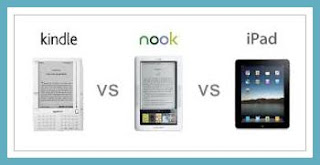
In today's digital world, there are many platforms that offer eBooks for readers.  However, not all eReaders are made alike.  For that matter, not all venues have the same inventory to select from.
Still, there ARE solutions!
Readers should NOT be limited by their reading preference.  
This blog post will help to explain HOW and WHY
there are differences, as well as what you can do to overcome the obstacles standing in your way.
Don't miss another 99¢ sale through Kindle Downdown Deals.
Don't fret when an author you like is a KDP exclusive author.
Don't worry if you
 have a Kindle or a Nook.
YOU AREN'T LIMITED ANYMORE!

 WHY AREN'T eBOOKS COMPATIBLE WITH BOTH
NOOK AND KINDLE?
Click on Photo for More Information or to be re-directed to Instructions
https://kdp.amazon.com/community/thread.jspa?threadID=181464

WHAT ARE MY OPTIONS?


KINDLE TO NOOK
NOTE TO ACCOMPANY THE LINK ABOVE
Lacie (Darkangel78) (Darkangel78)I would also say Calibre if they are DRM free otherwise you would have to root the NC and download the Kindle app. 


Monday, December 5, 2016

AMAZON CONTACT INFORMATION

AMAZON.COM, INC


Amazon.com, Inc.
Electronic commerce company
Amazon.com, often simply Amazon, is an American electronic commerce and cloud computing company, founded in July 5, 1994 by Jeff Bezos and based in Seattle, Washington. Wikipedia
CEOJeff Bezos (May 1996–)
FoundedJuly 5, 1994, Bellevue, WA

Tuesday, March 10, 2015

FREE Amazon Kindle APP for Nook!

Now You Can Read Without Limitations!

I have been contemplating how to get my KDP exclusive eBooks so my Nook-owning friends could enjoy them.  I saw no reason why the FREE Amazon Kindle APP for Android or Tablet couldn't be used on the Nook.  My curiosity peeked, I Google'd it and guess what...
What does this mean?
It means you can now buy eBooks from Amazon to read on your Nook!
All you need to do is to download the FREE Amazon Kindle APP for Android from Google's Play Store

So, please be sure to grab yourself a copy of my eBooks, available on Amazon at the follow links:
HAPPY READING!

NORNS TRIAD PUBLICATIONS' BLOG